Product overview
Digifin: The AI-Enabled Finance Command Center
Built specifically for strategic CFOs and finance leaders, Digifin is the AI-enabled finance command center designed to provide full visibility and control over every finance team member, every task, every compliance action, and every financial control across the organisation.
This centralised system solves critical challenges by digitising manual compliance efforts. It eliminates the need for finance leaders to waste hours every week chasing routine updates, providing total visibility without the need to read reports or chase teams. Digifin ensures that compliance and routine finance processes do not rely solely on human memory and manual effort.
Secure access
Access to the Digifin panel is secured via Single Sign-On (SSO), requiring users to select the "Sign In with google" option.
Infographic
Digifin workflow and visibility overview
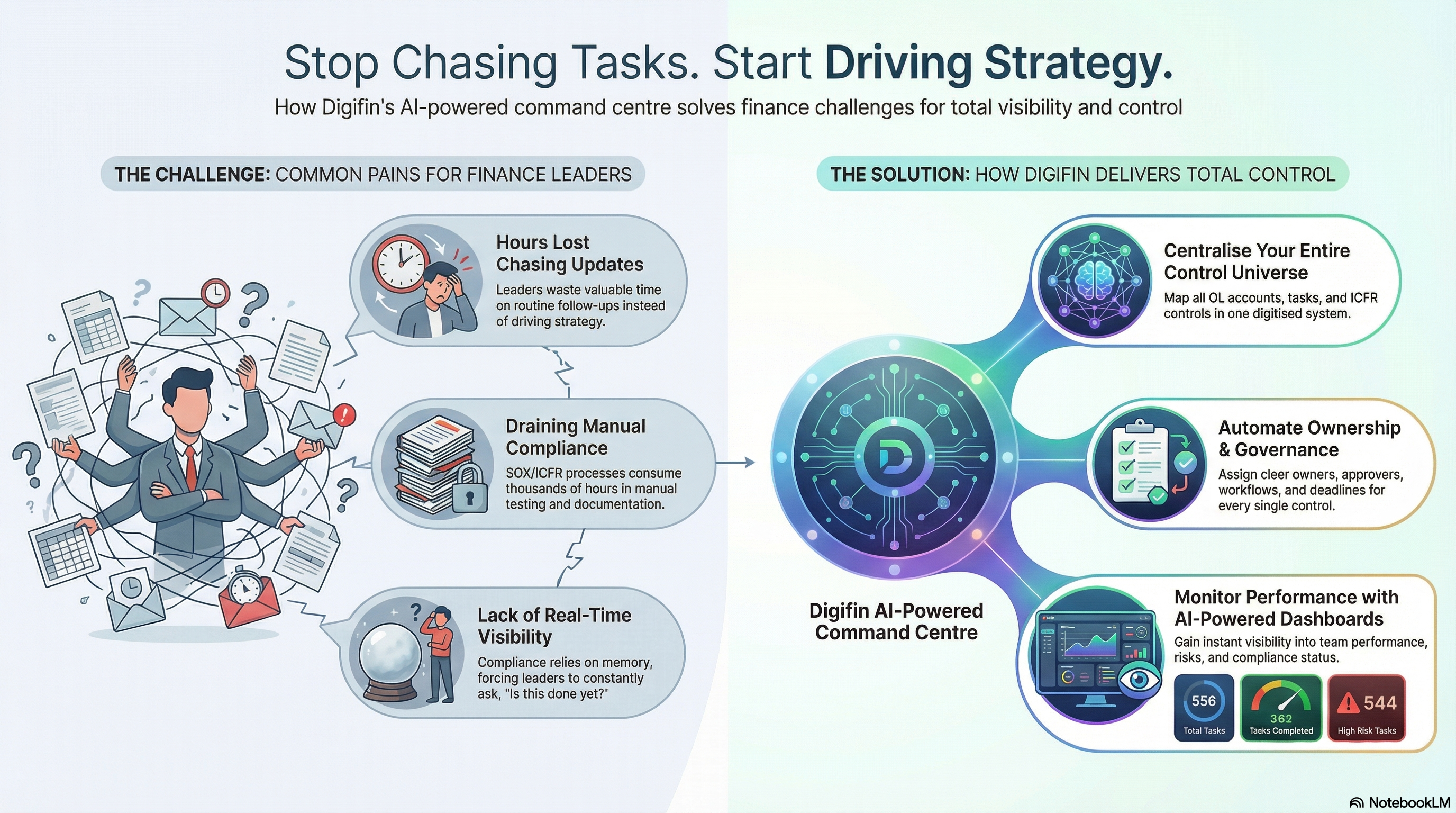
How Digifin Transforms Finance – In Just 3 Steps
Step 1
Map Your Ledgers & Controls
The first step is structuring and digitizing your entire control universe. You define General Ledger (GL) accounts and assign all related ICFR controls, tasks, checklists, and compliance actions against each GL.
- The system allows you to manage your control list (e.g., 582 controls listed in the source).
- Controls are listed with details such as Control Name (e.g., F&A-188, TRE-I), creation date, and Status (e.g., Active).
- Users can "Create Control," "Import Control," or "Export" the control list.
Step 2
Set Ownership & Governance
Every control, process, and task is assigned a clear owner, deadline, and workflow.
- Processes are managed in a separate interface, allowing users to "Create Process" or "Import Process". Examples include "Finops," "Receipts Accounting," and various reconciliation processes such as "SAP vs reconciliation".
- Tasks must be defined against key parameters including the Control (e.g., TRE-65), Process (e.g., Treasury), Subprocess (e.g., Bank Reconciliation), Frequency (e.g., Monthly), and Risk classification (e.g., High).
- You configure initiators, set approval hierarchies, and crucially, assign a designated Approver (e.g., Prateek) and Reviewer (e.g., Noopur) to manage governance.
Step 3
Bring the Team Into One System (Total Visibility)
Your team executes all routine finance tasks inside this one platform, leading to zero follow-ups and total visibility.
- The Task List interface tracks performance with summary metrics, including tasks Completed on Time (e.g., 1204), Completed with Delay (e.g., 2840), and Rejected Tasks (e.g., 3).
- The system tracks the status of specific tasks, indicating whether they have been Submitted, Completed, Pending, or Rejected.
Watch the product walkthrough
See Digifin in action with real product snapshots and a guided walkthrough.
Real-Time Monitoring and AI Watchguard
Dashboard visibility
The Dashboard provides the final layer of visibility, giving real-time summaries of team performance and compliance status.
- Task Monitoring: The dashboard summarises both Daily and Weekly Task's. For example, the Daily Task's Summary shows the Total Task count (e.g., 556) and tasks categorized as On Time (e.g., 362 completed on time) or Due Task (e.g., 185 due tasks, representing delayed or pending items).
- Risk Visibility: Risk monitoring is central to the dashboard, breaking down performance across High Risk Tasks (e.g., 544 total daily tasks), Medium Risk Tasks, and Low Risk Tasks.
Meet Avatar
Avatar is the smart addition to your finance team—an always-on AI watchguard for ICFR, GL controls, compliance, and tax.
- Avatar proactively alerts the CFO about risks, delays, exceptions, or missed controls.
- It gives real-time summaries of compliance status and team performance.
- It acts as a digital second-in-command because it understands natural language questions like: "What controls failed yesterday?" or "Who hasn't completed their month-end tasks?".
Great CFOs don't chase tasks. They deploy Digifin.
Ready to see Digifin in action?
Share a few details about your finance stack and ICFR scope, and we'll set up a tailored walkthrough.